PointTask is a personal productivity web part built to help you manage focus routines and tasks — it's entirely optional. When you come to the page, click Start setup to get a brief overview of what the web part entails, then click Next to open the settings form.
Choose your timer
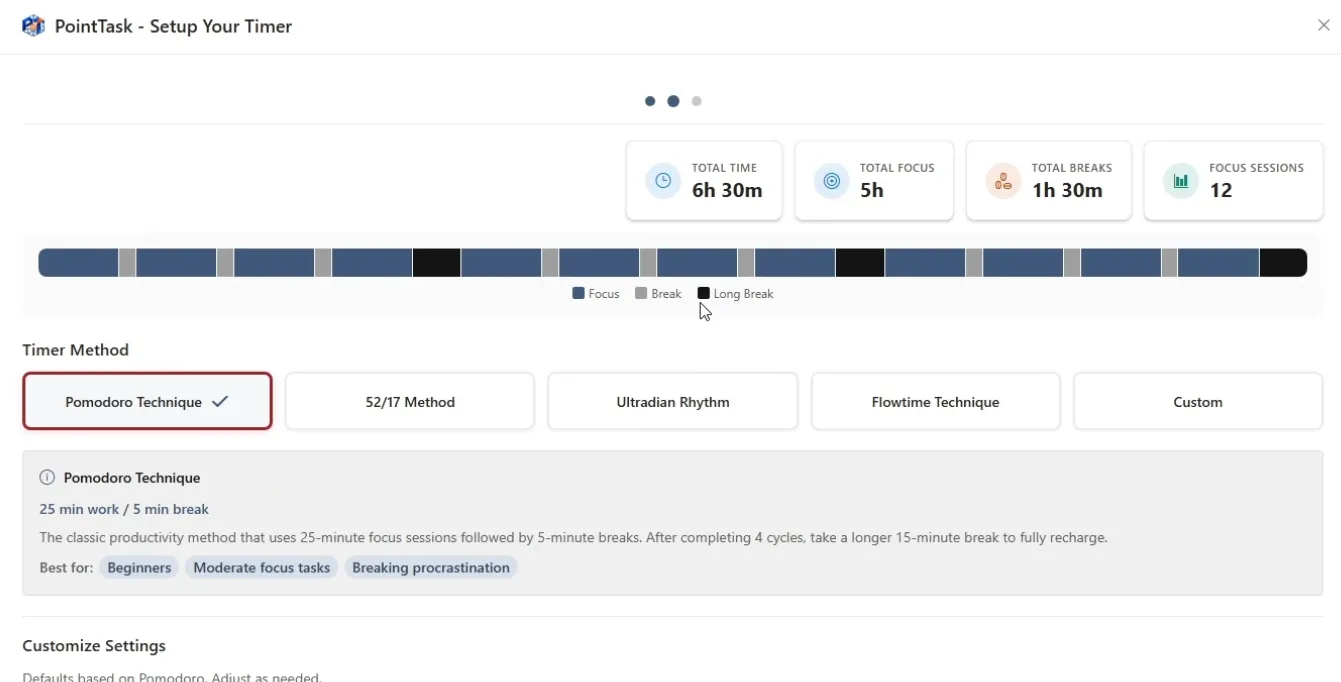
First, select a timer method — Pomodoro Technique, 52/17 Method, Ultradian Rhythm, Flowtime Technique, or a Custom option. Based on your selection, PointTask automatically generates your total time, total focus time, total breaks, and number of focus sessions for the day — you can adjust any of these numbers at any time, and change your timer method later too. You can also turn on a sound alert that plays when a break starts or when a task's time runs out. Below that, set your work schedule: your working hours (for example, 8 AM to 5 PM) and which days you typically work. Workdays aren't set in stone — you can still add tasks on days you're not scheduled to work.
Finalize your setup
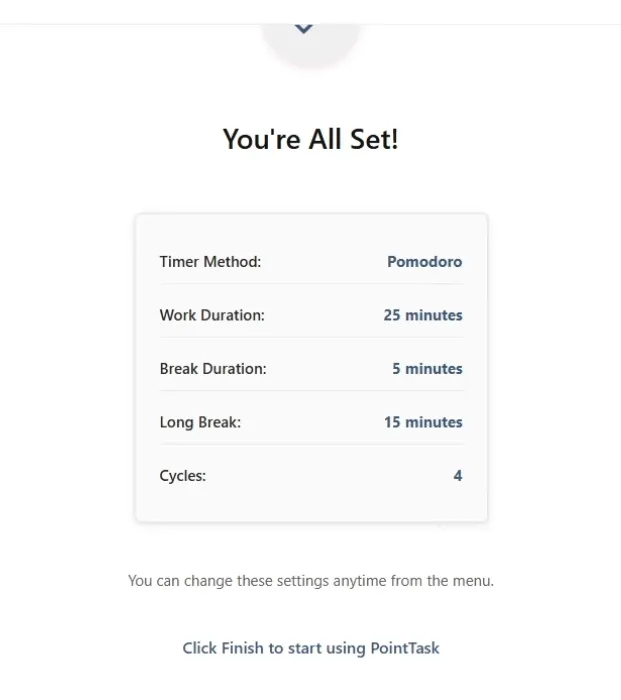
Once your focus and total work time look right, click Next. You'll see a summary confirming your timer method, work duration, break duration, long break, and cycle count. Click Finish to complete setup — you can always change these settings later from the menu.
Your Kanban board
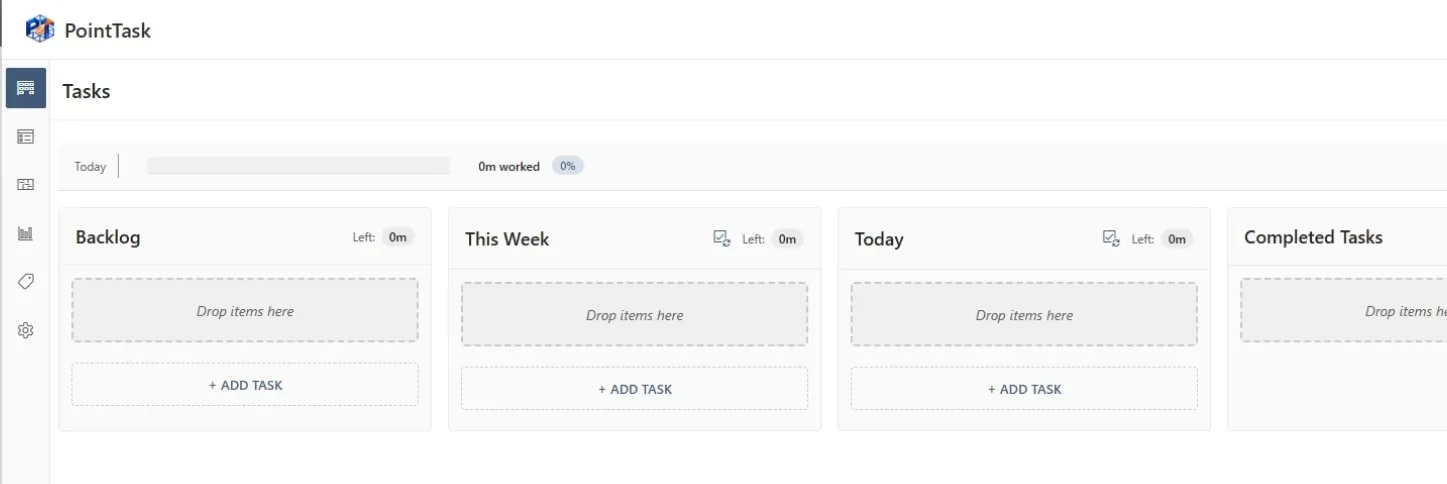
Setup is complete, and you'll land on your Kanban board — ready to add tasks to your Backlog, This Week, Today, and Completed Tasks columns.